
On this page:
Edit Label - Edit Property - Related articles
When editing equipment can be done in the application and the portal. Edit equipment properties or labels with mouseover and click the pen icon. 
Edit Label:
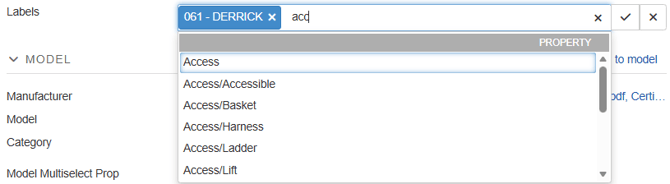
To edit a move the cursor to the label section of your equipment page and click the pen. In the editing window x out lables you want to remove, scroll or start typing to find labels you want to add. Save by selecting the checkmark or undo your changes by pressing x.
Edit Properties:
When editing properties the process depends on the property type. Find the property you want to edit and click the editing pen. A freetext property will open a field for entering text, a datepicker opens a calendar, and a drop down selector opens a field with the accepted values for single or multi selection.
Related articles:
Link 1
Link 2